Play Together: My Farm is a new update added to the popular casual game, Play Together. This update gives players a fun way to farm in their own space called Home Town. The farming area is placed right in front of each player’s virtual house. It lets players grow crops, complete farming tasks, and earn rewards. At the same time, they can still enjoy everything else in the game like hanging out with friends or playing mini-games.
This farming system gives players a new goal inside the game. It helps them relax while also giving them a reason to come back daily. With more than 25 types of crops and special crop changes, the farming part keeps things interesting. The crops even grow based on the weather in the game. That adds more fun and surprise to how players manage their farms. Play Together: My Farm also lets players connect with friends in farming contests and events.

Download Play Together: My Farm APK
What is Play Together: My Farm?
Play Together: My Farm is a farming system built inside the world of Play Together. It is made by HAEGIN, the same company that made the main game. In this system, players can grow their own farm outside their in-game house. This farm isn’t just for looks—it lets players plant, grow, and harvest crops. They can use those crops to complete farming quests or sell them to make money.
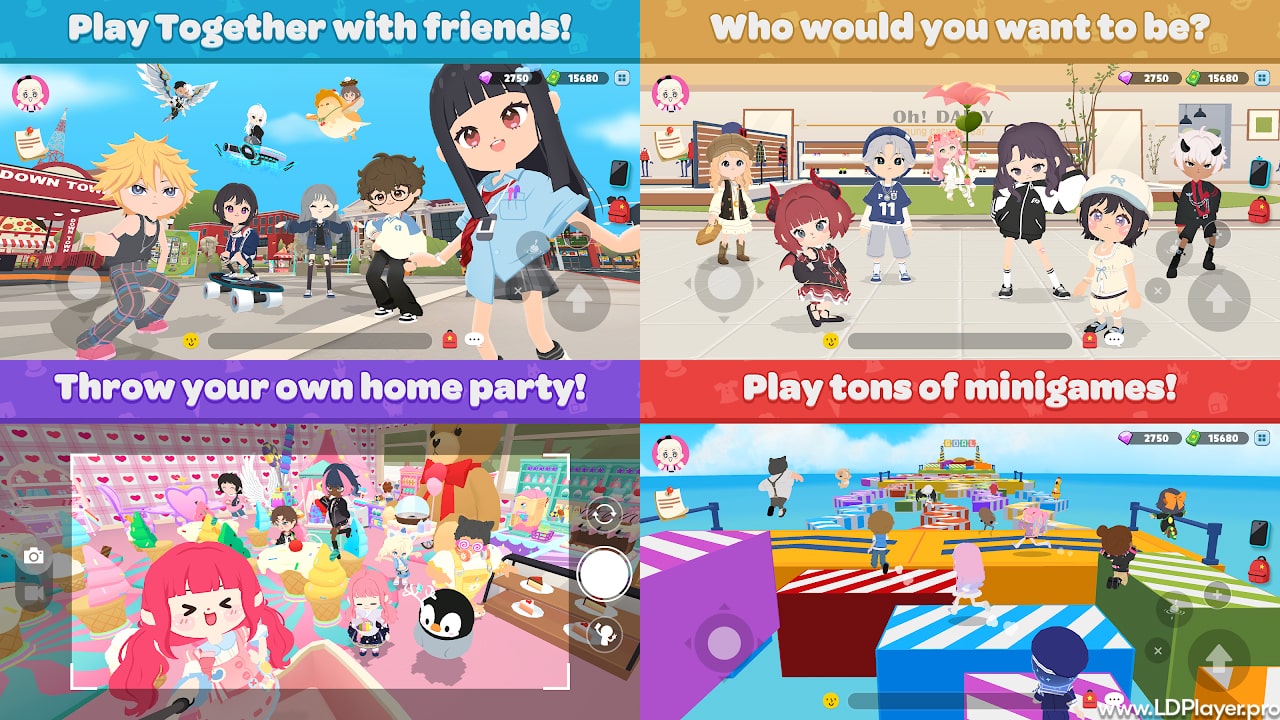
The update turns Play Together into more than just a social game. Now, players have their own space where they can farm, grow rare crops, and compete with others. The new farming part makes the game more complete and exciting for long-time players and new ones too. It’s not only about farming either. Players can still meet others, chat, dress up, and play mini-games as usual.
Key Features of Play Together: My Farm
Play Together: My Farm gives players many farming tools and ways to enjoy their farms. These features make the system easy to understand, but deep enough to keep players busy every day.
Diverse Crop Cultivation
Players can grow many different crops. These include common foods like carrots, apples, lemons, and spinach. To grow a crop, players need to follow simple steps. First, plant seeds. Then wait for the crops to grow. After that, they can harvest and sell the crops. The farming loop is fun and easy for players of all ages.
Unique Crop Mutations and Weather Effects
One fun part of Play Together: My Farm is crop mutation. That means a crop might change while it’s growing. Some may turn golden or have rainbow colors. Others might look electric or icy. There are five types of crop changes, and each one is rare and worth more money.
These changes don’t happen by luck alone. The in-game weather helps trigger crop changes. Things like rain, lightning, or fog will affect how crops grow. This makes each farming session different and adds excitement. Players may need to plan which crops to grow based on the weather.
Value and Size Dynamics
Crop size matters in Play Together: My Farm. While the plant is growing, its final size is decided. Bigger crops sell for more. If the crop also has a special mutation, it becomes even more valuable. So, players must think smart about what to grow and when.
Farming Tools and Assistance
Farming can get easier with tools. The game gives players items like watering cans and sprinklers. These tools help crops grow faster. They also make farming less work. Instead of clicking each plant, players can use tools to help many crops at once.
Community Events and Competition
Play Together: My Farm adds group activities too. Players can join farming events and win rewards.
-
A Day at the Farm is a 7-day event. It teaches players how to farm. Players can earn things like farmer clothes and even a cow vehicle by finishing all tasks.
-
Farm Contest lets players try to grow the biggest or most valuable crops. Winners earn prizes based on how much they grow or how rare their crops are.
-
Attendance Events reward players just for logging in. They can get free seeds, tools, and in-game money.
-
Social Media Missions ask players to share pictures of their farms. It’s a fun way to show off crops and outfits.
How To Install on LDPlayer
Play Together: My Farm is a mobile game. But players can use a free Android emulator like LDPlayer to play it on a computer. This gives better controls and graphics.
Here’s how to install the game on LDPlayer:
-
Download LDPlayer: Go to the LDPlayer website and get the latest version.
-
Install LDPlayer: Open the downloaded file and follow the steps. It’s easy and fast.
-
Launch LDPlayer: Open the app once it’s installed.
-
Open the App Store: Use the Google Play Store or LD Store inside LDPlayer.
-
Sign In: Sign in with your Google account if needed.
-
Search the Game: Type “Play Together” in the search bar.
-
Install the Game: Click install to download the game with the farming system.
-
Start Playing: After it’s done, click the icon and start farming.
How To Play Play Together: My Farm
Play Together: My Farm is simple to use once you’re in the game. Here’s how to start farming:
-
Find Your Farm: The farm is in front of your house in the Home Town area.
-
Get Seeds: You can earn seeds from quests, events, or by buying them.
-
Plant Crops: Click on an empty farm plot and choose a seed.
-
Grow Your Crops: Watch the weather and use tools to help crops grow faster.
-
Harvest: Once crops are ready, collect them by clicking on them.
-
Sell or Trade: Sell crops for coins or use them in farming quests.
Special crops and large crops give more rewards. So, always check the weather and care for your plants.
Safety and Legality
Play Together: My Farm is made by HAEGIN, the official creator of Play Together. It is safe and legal to use. The game is free and can be found on the App Store and Google Play.
-
Safety: The game is safe for ages 9 and up. It has light chat, events, and farming fun. The game team watches the chat to stop bad behavior.
-
Legal Use: Only use the official version. Don’t use hacks or mods. These break the rules and can get your account banned.
-
In-App Purchases: The game has in-app items for sale. These include seeds, outfits, and faster tools. But you don’t have to spend money to enjoy farming.
Play Together: My Farm FAQ
Q: Is Play Together: My Farm a new game?
A: No. It is part of the main Play Together game.
Q: How can I get the Choco Mottled Cow?
A: Finish the 7 farming tasks in “A Day at the Farm” to unlock the cow and a farmer outfit.
Q: What are mutated crops for?
A: They are rare, look cool, and sell for more. Some farming quests also need them.
Q: Can mobile and PC players play together?
A: Yes. The game works with cross-platform play using an emulator like LDPlayer.
Final Words
Play Together: My Farm is a fun way to enjoy farming while staying connected with friends. It makes Play Together even better by giving players something new to do. The crop changes, weather effects, and farming tools keep things fresh every day. Events and contests help bring players together. Whether you’re planting carrots or showing off a rainbow crop, there’s always something to enjoy. Get your seeds ready, grow your dream farm, and have fun farming.