Plants vs Zombies 2 remains one of the most loved tower defense games in the world. Since launch, Plants vs Zombies 2 has grown into a large strategy game with many modes and worlds. Players travel across time, from Ancient Egypt to future cities, while protecting their home from zombies. The main goal stays clear. Stop every zombie before it reaches the house.
Over the years, the team has added new plants, new zombies, and new events. Because of this steady support, the game feels fresh even after many updates. In addition, weekly challenges and limited events keep players active. Strategy matters in every level. Quick thinking also helps during big zombie waves.
This guide explains the core systems, helpful strategies, and safe ways to play on PC. Everything here focuses on clear steps and smart planning. With the right setup, every lawn can stay safe.

What is Plants vs Zombies 2
Plants vs Zombies 2 is the sequel to the original tower defense hit by PopCap Games. In this adventure, players join Crazy Dave and his smart van Penny. Together, they travel through time to stop Dr. Zomboss.
The gameplay feels simple at first. Players place plants on a grid. Zombies walk from the right side toward the house. If a zombie reaches the end, the level fails. However, deeper strategy appears as new plant types unlock. Some plants attack. Others block. A few slow down enemies.
One major system is Plant Food. This item gives a strong boost to a plant’s power. For example, a Peashooter may fire many peas at once. Timing this boost can change the outcome of a tough wave. Power-Ups also allow direct action on the screen. These tools help during emergency moments.
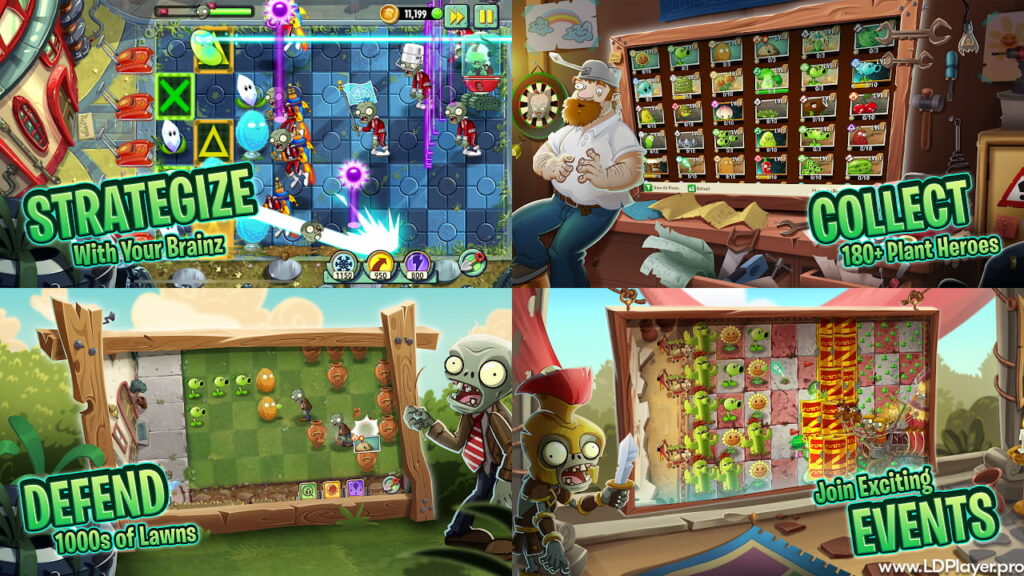
Plants vs Zombies 2 Features
Plants vs Zombies 2 includes many features that keep gameplay exciting and active. Each mode adds new goals and new ways to win.
Themed Worlds
Players explore many time-based maps. These include Ancient Egypt, Pirate Seas, Wild West, and Lost City. Every world has special zombies. For example, pirate zombies swing across lanes. Cowboy zombies rush quickly. Because of these changes, plant selection becomes very important.
Epic Plant Roster
The plant roster includes classic defenders like Sunflower and Peashooter. It also features modern additions such as Sakura Spear. Each plant has a role. Some deal splash damage. Others protect lanes. Upgrading plants increases damage and health. Therefore, collecting Seed Packets helps long-term progress.
Arena Mode
Arena Mode lets players compete in weekly tournaments. In this mode, score matters more than survival. Players fight endless waves and earn points by defeating zombies fast. Higher scores move players into better leagues. As a result, better rewards become available.
Penny’s Pursuit
Penny’s Pursuit targets advanced players. This mode includes special rules and strong boss battles. Dr. Zomboss appears with unique machines. Level modifiers can limit sun or change plant costs. Because of this, planning becomes critical.
Leveling System
The leveling system uses Seed Packets. Collecting these packets upgrades plants step by step. Higher levels increase attack power and reduce sun cost. Stronger plants handle later worlds more easily.
How To Install Plants vs Zombies 2 on LDPlayer
Many players enjoy playing Plants vs Zombies 2 on a larger screen. A PC setup allows better mouse control and clear visuals. LDPlayer provides a stable Android emulator for this purpose.
First, download LDPlayer from its official website. Always choose the latest version for better performance. After downloading, run the installer and follow the steps shown on screen. The process takes only a few minutes.
Next, open LDPlayer and access the built-in store or Google Play Store. Sign in with a Google account. Then type Plants vs Zombies 2 in the search bar. Click install and wait for the download to finish. Once installed, the game icon appears on the home screen.
Finally, open the game and adjust settings for smooth performance. Enable high-performance mode if the PC supports it. A stable setup improves response time during large waves.
How To Play Plants vs Zombies 2
Success in Plants vs Zombies 2 depends on smart resource management. Sun acts as the main currency. Without enough sun, strong defenses cannot be placed.
Sun Production
At the start of each level, place at least two columns of Sunflowers or Sun-shrooms. Early sun income builds a stable defense. Without early preparation, later waves become hard to stop.
Diverse Lineup
A balanced deck improves survival chances. Always include a low-cost blocker like Wall-nut. Add a steady attacker such as Peashooter. Keep at least one instant plant like Cherry Bomb for emergencies. Because zombies vary by world, adjust the lineup before each level.
Smart Use of Plant Food
Plant Food should not be wasted on weak waves. Save it for large groups or strong enemies. During boss fights, use it to break machines quickly. Good timing often prevents lawn collapse.
Keyboard Mapping on PC
When playing on LDPlayer, map important actions to keyboard keys. Assign Plant Food slots to number keys for quick use. Faster reactions help during sudden zombie rushes. Small adjustments like this improve control.
Safety and Legality
Security remains very important for the community. Always download Plants vs Zombies 2 from official stores such as Google Play or the Apple App Store. Trusted emulators like LDPlayer also provide safe access.
Avoid modified files that promise unlimited gems or free premium plants. These files may contain harmful software. In addition, accounts using illegal versions risk permanent bans. Protect personal data by staying with verified sources only.
Keeping the game updated also improves safety. Updates fix bugs and improve performance. Therefore, check for updates often to ensure a stable experience.
Plants vs Zombies 2 FAQ
Q: Can progress move from mobile to PC?
Yes. Link the game to an EA Account or platform account. After linking, progress syncs across devices.
Q: Is the game free to play?
Plants vs Zombies 2 is free to download. Optional purchases exist for premium plants and currency. However, the story mode can be completed with a smart strategy.
Q: Why does the game lag on PC?
Lag often happens when hardware virtualization is disabled. Enable VT in BIOS settings for better emulator performance. Also, close background programs to free memory.
Final Words
Plants vs Zombies 2 continues to grow with new plants, new modes, and active events. Strategic planning remains the key to success. Every world introduces new zombie types and new challenges. Because of this variety, no two battles feel the same.
Playing on PC with LDPlayer offers more control and a larger view. Meanwhile, mobile play keeps the experience flexible. Both options support account syncing for smooth progress.
With careful plant selection, steady sun production, and smart Plant Food timing, every player can defend the lawn. Prepare the lineup, upgrade favorite plants, and face Dr. Zomboss with confidence. The battle across time continues, and a strong strategy keeps the brain safe.