PUBG MOBILE is the best-known battle royale game played by millions of people around the world. The game brings the same exciting and fast action as the original PC version but on mobile. Players jump into big maps, search for weapons, and try to be the last one alive. It’s easy to get into but hard to master. For both new and old players, this guide explains the basics, new features, and how to play PUBG MOBILE on PC using the LDPlayer emulator. This helps players improve and win more matches.
What is PUBG MOBILE?
PUBG MOBILE is a free game that lets 100 players fight each other on a big island. The main idea is simple. Land, find gear, and survive until you’re the last one standing. It’s made by LightSpeed & Quantum Studio and approved by KRAFTON.
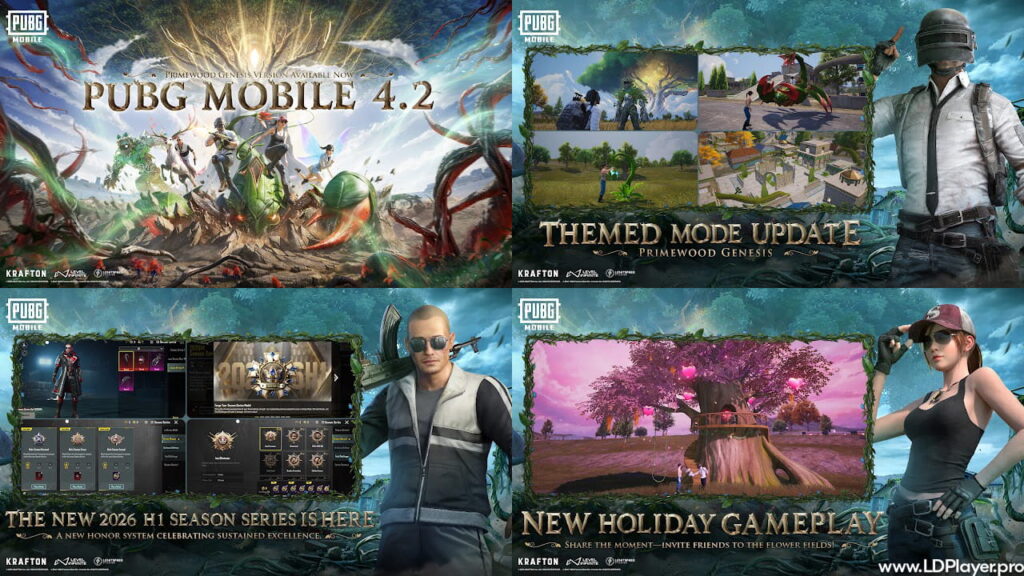
Unlike many other shooting games, PUBG MOBILE needs smart thinking. Players have to plan where to land, watch the shrinking safe zone, and decide when to fight or hide. Every season, the game gets new themes like “Zombie Uprising” or “Bloodmoon Awakening.” These modes make the game feel fresh and fun each time. This game is not just about quick reactions; it’s also about making the right choices under pressure.
PUBG MOBILE Features
So, PUBG MOBILE has many features that make the game better and more real. These features help players use different strategies and play in their own way.
Different Maps
Every map is unique. Erangel has green forests and towns. Miramar is full of dry, open land. Sanhok has jungles. Livik is fast-paced and smaller. Each place needs a different way to play. Some places need long-range shooting. Others are better for close fights.
Real Gunplay
Guns in PUBG MOBILE feel real. Every weapon has its own recoil and bullet speed. Players must learn how to shoot correctly. This makes shooting harder but more fun.
Weather and Time
Sometimes it rains or gets foggy in the game. There are also sunset and night modes. These changes affect what you can see. So, players must change how they move and fight.
Many Vehicles
There are cars, bikes, boats, and even gliders. Some events add special vehicles like hovercrafts. Vehicles help players move fast and escape danger.
Custom Controls
Players can change button layouts to what feels best. You can also set how fast you look around or how items are picked up. This makes the game more comfortable to play.
Social Tools
PUBG MOBILE has clans, friends lists, and voice chat. Players can team up with friends and play together. There’s also a merit system that stops bad behavior like team killing.
How To Install PUBG MOBILE on LDPlayer
While this is made for phones, many people like playing it on PC. Using LDPlayer helps with better control by using a keyboard and mouse.
Step 1: Download LDPlayer: Go to the official LDPlayer website. Download LDPlayer 9. It works best for PUBG MOBILE.
Step 2: Install Emulator: Click the downloaded file and follow the setup instructions.
Step 3: Open LD Store: When LDPlayer opens, look for the LD Store or Google Play Store. These are already installed.
Step 4: Search the Game: Type “PUBG MOBILE” in the search bar. Pick the official game made by Level Infinite.
Step 5: Install: Click “Install.” After it’s done, you will see the PUBG MOBILE icon on the home screen.
Step 6: Set Controls: LDPlayer comes with key settings made for the game. Press F12 or click the keyboard icon to see or change them. Movement is with WASD keys. Shooting is done with the left mouse button.
How To Play PUBG MOBILE
Learning to play PUBG MOBILE well takes time. Each match has three parts: the drop, mid-game, and final circle.
The Drop: Always talk to your team before jumping. Decide where to land. Hot spots like Pochinki or School have great loot but lots of enemies. For safe looting, go to places far from the flight path.
Loot Fast: Find a weapon first. The best setup is one assault rifle and one sniper or SMG. Pick up armor, helmets, backpacks, and healing items. Smoke grenades are great for hiding or reviving friends in open areas.
Use Sound: PUBG MOBILE gives hints through sound. Good headphones help. The mini-map also shows the direction of footsteps and shots. This helps you stay safe and find enemies faster.
Watch the Zone: The safe area gets smaller. Always move early to a new safe zone. Use vehicles if it’s far. Staying in the blue zone too long causes damage.
Safety and Legality
Keeping the game fair is important. PUBG MOBILE uses strong tools to stop cheating. The anti-cheat system checks for hacks like aimbots or wall cheats.
Bans: If players break the rules, they can lose their account for up to 10 years. This includes changing game files or cheating with emulators.
Protect Your Account: Link your PUBG MOBILE account to Facebook, Google, or Twitter. Turn on extra password checks to stop hackers.
Country Rules: Some places have age limits or time rules for this game. Always download the version made for your country. In India, for example, people must download BGMI, which is the local version.
PUBG MOBILE FAQ
Can mobile users play with emulator users?
No. PUBG MOBILE matches emulator players with other emulator players only. If a team has both, they go into the emulator match.
What are the basic system needs?
For Android, you need at least Android 5.1.1 and 2GB of RAM. But for smooth gameplay, 4GB RAM is better.
Is PUBG MOBILE free?
Yes, PUBG MOBILE is free. You can buy skins, clothes, and other items, but they don’t make you stronger. These are only for style.
How often is it updated?
The game gets big updates about every two months. New seasons bring changes like new modes, guns, and balance fixes.
Final Words
PUBG MOBILE is still one of the most played mobile games. It works well for new players and also offers deep gameplay for serious players. You can enjoy it on your phone or on a computer with LDPlayer. With many maps, fun modes, and smooth controls, it keeps getting better. Jump in, team up with friends, and show your skills. Get that chicken dinner and prove you’re the best on the battleground.