The Battle Cats started as a strange but fun mobile game. However, it quickly became popular around the world. Many players enjoy its silly cats and deep strategy. At first glance, the game looks simple. Yet the gameplay slowly becomes more complex.
Players control a group of odd cats that march into battle. Each stage requires careful timing and smart choices. Because of this, new players learn step by step while playing.
Over time, updates added more stages, enemies, and units. Therefore, the experience keeps growing even after many years. Many players now choose to play on PC using an emulator. A larger screen helps players see enemy movements clearly. In addition, keyboard controls make unit deployment easier.
This guide explains the main systems, strategies, and setup process. With the right approach, anyone can enjoy The Battle Cats and progress faster.

What is The Battle Cats?
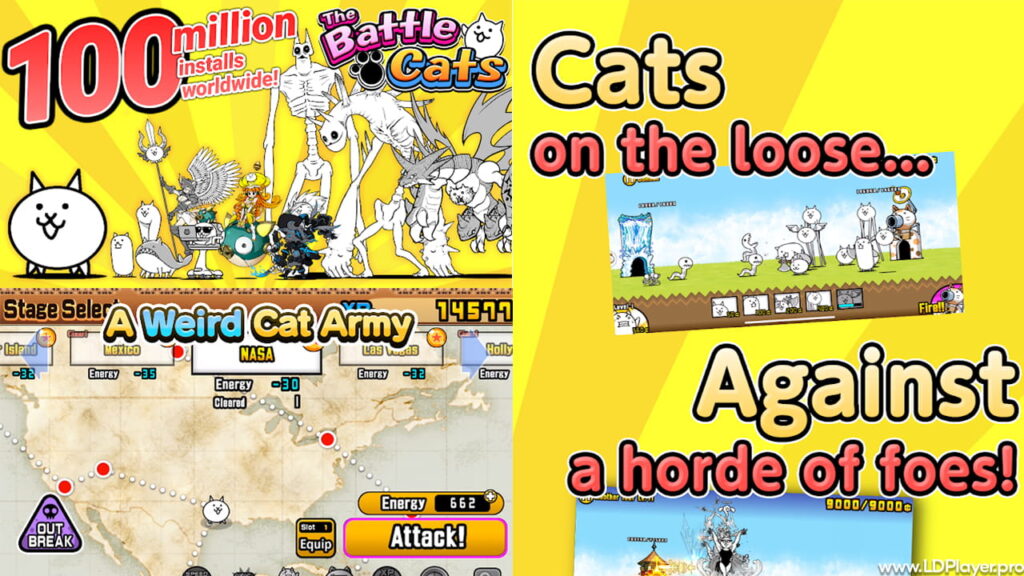
At its core, The Battle Cats is a side-scrolling tower defense game. Two bases appear on opposite sides of the screen. The player protects the Cat Base while attacking the enemy base.
Units cost money called “cents.” This money slowly increases during battle. Therefore, players must decide when to spend and when to save.
Every cat unit has different abilities and recharge speeds. Some units attack quickly but deal small damage. Others attack slowly but hit very hard. Because of this difference, team balance becomes important.
The story mode includes several major chapters. The first arc is Empire of Cats. Later arcs include Into the Future and Cats of the Cosmos. Each chapter introduces stronger enemies and new mechanics.
Enemies also appear in many forms. Dogs, snakes, aliens, and massive bosses appear during later stages. Therefore players must adjust their team for every stage.
Progress also depends on XP and treasure collection. XP levels up units. Treasures give permanent bonuses. Because of this system, early grinding helps later battles become easier.
The Battle Cats Features
Many players stay with the game for years. Frequent updates and many units keep the gameplay fresh. Several systems make the experience deep but still easy to learn.
Diverse Unit Roster
First, the game offers hundreds of different cats. Some appear as basic units. Others belong to rare tiers like Uber Rare or Legend Rare.
Each cat also has an upgrade path. Eventually, many units unlock a stronger version called True Form. This evolution increases damage, range, or special abilities. Because of this, old units often remain useful later.
The Gacha System
Next, the game includes a gacha system. Players spend Cat Food or Rare Cat Tickets to roll for new units. Each banner contains different themed characters.
Events often feature special banners with strong units. Therefore, many players save resources for these moments. Smart timing increases the chance of getting powerful allies.
Treasure Collection
Treasure collection plays a large role in progress. Each stage contains three treasure levels. The highest level is the gold treasure.
Gold treasures give permanent boosts. These boosts increase health, attack power, and money production. Because of this, players should replay stages until they collect them all.
Special Events
PONOS often releases special events. Some events introduce unique stages with limited rewards. Others bring collaboration characters from anime or games.
These events usually stay for a short time. Therefore, players check the event schedule often.
Weekly Challenges
Advanced players also enjoy difficult challenge modes. Stories of Legend and Heavenly Tower provide tough battles. These stages require careful planning and strong units.
However, rewards from these challenges help players grow even stronger.
How To Install The Battle Cats on LDPlayer
Although mobile devices run the game well, some players prefer a PC setup. A computer screen shows more details during battles. Also, the device battery does not drain during long sessions.
Installing The Battle Cats on LDPlayer takes only a few steps.
First, download the LDPlayer emulator from its official website. Choose the newest version for better stability.
Next, run the installer file. The setup program will guide the installation process. Most users finish this step within a few minutes.
After installation, open LDPlayer. Then sign in with a Google account. This step allows access to the Play Store.
Once inside the Play Store, type the game name in the search bar. The store page will appear in the results.
Click the install button and wait for the download to finish. The icon will appear on the emulator home screen.
Finally, click the icon to launch the game. Players can now enjoy smoother gameplay and larger visuals.
How To Play The Battle Cats
Winning battles requires both patience and quick thinking. While controls look simple, good timing decides many matches.
Manage the Worker Cat
The Worker Cat controls money production. During battle, players can upgrade it using battle funds.
Upgrading increases wallet size and income speed. Therefore, stronger units become available sooner.
However, spending too early can slow defense. Because of this, players must balance upgrades and unit deployment.
The Meatshield Strategy
Many players use the meatshield strategy. Cheap units with fast recharge act as frontline blockers.
Basic Cat and Tank Cat work well for this role. These units absorb damage while stronger attackers stay safe behind them.
Without meatshields, expensive units often fall quickly.
Understand Enemy Traits
Enemies in the game have different traits. Red, Black, Floating, Angel, Alien, and Zombie enemies appear across stages.
Certain cats deal bonus damage against specific traits. Others can freeze or knock back enemies.
Therefore, team selection becomes important before every stage.
Use the Cat Cannon
The Cat Cannon charges during battle. When fired, it pushes enemies backward.
Good timing interrupts enemy attacks and protects the front line. Many players use it during dangerous enemy waves.
Because of this ability, the cannon often saves a failing defense.
Safety and Legality
Players should always use official game versions. The game is free and supported by optional purchases.
Modded APK files may promise unlimited resources. However, these files break the game rules.
Accounts using modified versions often receive permanent bans. In addition, unknown files may harm the device.
Backing up the Inquiry Code also helps protect progress. The code appears on the title screen.
If a device is lost or reset, this code restores saved data.
Many players also run the game on emulators. Community members generally accept trusted emulators when using the official app.
The Battle Cats FAQ
Q: Is the game free to play?
Yes. Players can finish all major content without spending money. Daily rewards and missions provide free resources.
Q: How should Cat Food be used?
Saving Cat Food for Guaranteed Uber Rare events works best. These events guarantee a high-tier unit.
Q: How do players unlock True Forms?
Units must reach level 20 or level 30 first. After that, Catfruit materials unlock the True Form upgrade.
Q: Can progress transfer between devices?
Yes. The Data Transfer option moves progress between Android and iOS devices.
Final Words
Many tower defense games exist today. Yet few feel as unique as The Battle Cats. Simple art hides a deep strategy system that rewards planning.
Over time, players learn enemy patterns and unit combinations. Because of this learning process, victories feel satisfying.
Using a PC emulator can also improve the experience. Larger visuals help track enemies and timing.
New updates continue to expand the world and add more units. Therefore, the game stays fresh for both new and long-time players.
Anyone who enjoys strategy games can try it easily. With patience and smart tactics, victory becomes possible in even the hardest stages.