Free Fire MAX is a high-quality battle royale game made for players who want smoother action, better graphics, and clear sound. It keeps the fast survival style of the original game, but it adds sharper visuals and richer effects. Players can enjoy short, intense matches, strong weapons, team fights, and smart movement across large maps.
The game works well on strong mobile devices. However, many players also enjoy it on a PC through a trusted Android emulator. A larger screen can make aiming, movement, and map reading easier. Keyboard and mouse controls can also help players react faster during close fights.
What is Free Fire MAX?
Free Fire MAX is a battle royale game from Garena. In each match, 50 players land on an island and fight to survive. Players collect guns, armor, healing items, ammo, and other gear. The match ends when only one player or one squad remains.
The main idea stays simple. Land safely, collect useful items, move into the safe zone, and defeat enemies. However, the upgraded version gives players better graphics, smoother movement, and clearer sound.
Firelink technology also connects the game with the standard Free Fire app. So players can use the same account, keep their progress, and play with friends who use the regular version. Characters, ranks, items, and skins stay linked through the account system.
Free Fire MAX Features
Free Fire MAX includes many upgrades that improve how the game looks, sounds, and feels. These features help players enjoy battles with more detail and better control.
Ultra-HD Visual Graphics and Map Enhancements
The game has sharper textures, better lighting, and improved map details. Buildings, trees, roads, water, and open land look cleaner and more natural. Shadows and effects also make each area easier to read during battle.
Maps such as Bermuda MAX include improved zones and updated places. Areas like Factory and Clock Tower feel more detailed. These changes can also affect how players move, hide, attack, and defend.
Better graphics are not only for looks. They can help players spot cover, understand distance, and read the map faster. As a result, every landing choice matters more.
Firelink Cross-Play Integration
Firelink helps players keep one account across both versions. After login, progress, characters, skins, rank, and items can sync with the account.
This feature also allows cross-play. A player using the upgraded app can still join friends who use the standard app. Squads, clans, and friend lists stay connected.
Because of this system, players do not need to start over. They can move to the upgraded version and continue from their existing progress.
Re-engineered Combat Mechanics and Animations
The combat feels smoother and clearer. Gun recoil, reload movement, bullet effects, and hit reactions look more polished. This makes shooting feel more direct during fast fights.
Movement also feels cleaner. Running, jumping, crouching, lying down, and using items have better animations. These small details can make the game feel more modern.
Good combat control matters in every match. Players must aim well, move at the right time, and switch weapons quickly. Smooth animations help players understand what happens during fights.
Immersive Audio Overhaul
Sound plays a big role in survival. The game gives clearer gunfire, footsteps, vehicle sounds, and explosion effects. Directional sound helps players know where danger may come from.
For example, footsteps can show if an enemy is close. Vehicle sounds can warn players before a rush. Gun sounds can also help players guess the fight distance.
So, using headphones can improve awareness. Players who listen carefully can make better choices before pushing or hiding.
Craftland Customizable Sandbox
Craftland is a creative mode where players can build custom maps. They can place objects, walls, buildings, spawn points, and other parts.
This mode lets players create special match areas for friends or community players. Some maps can focus on close-range fights. Others can support training, team battles, or custom rules.
Craftland also adds long-term fun. Instead of only joining normal matches, players can test new ideas and play in user-made spaces.
How To Install Free Fire MAX on LDPlayer
Playing on LDPlayer can help users enjoy PC controls and a larger display. Follow these steps for a clean setup.
Step 1: Download and Setup the Emulator
Open the official LDPlayer website from a desktop browser. Download the latest installer file. Then run the setup file and follow the install steps shown on the screen.
Choose a suitable folder if the installer asks for a location. After that, let the setup finish fully before opening the emulator.
Step 2: Launch and Configure System Settings
Open LDPlayer after installation. Click the settings icon on the side panel. Then go to the advanced settings area.
Set the emulator to use at least 4 CPU cores and 4GB of RAM when the computer supports it. Next, set the screen resolution to 1920×1080 for a clear display. Save the settings and restart the emulator when needed.
Step 3: Access the Application Store
Open the system apps folder on the emulator home screen. Then click the Google Play Store icon.
Sign in with a Google account. This step gives access to the Android app catalog and allows safe app installation.
Step 4: Locate the Game Application
Use the search bar inside the Play Store. Type “Free Fire MAX” and start the search.
Choose the official app published by Garena International. This helps avoid fake or unsafe app files.
Step 5: Execute the Application Installation
Click the install button. The emulator will download the app and required game data.
Do not close the emulator during the download. After the process ends, the game icon will appear on the home screen.
Step 6: Apply Control Layout Overlays
Launch the game from LDPlayer. The emulator may apply a smart keyboard layout automatically.
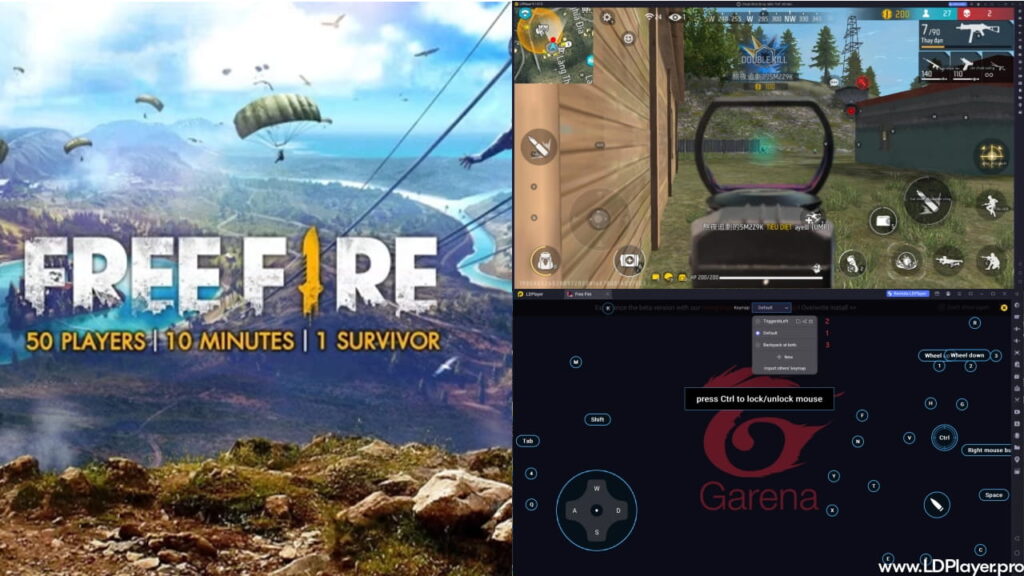
Common actions can map to keys like WASD for movement, mouse movement for aim, and left click for shooting. Players can open the keyboard mapping panel and change controls based on comfort.
How To Play Free Fire MAX
Free Fire MAX matches move fast. Players need good landing choices, quick looting, smart rotation, and calm fighting. The full match can be understood in three main phases.
Phase 1: Deployment and Scavenging (Early Game)
The match begins in an aircraft. Players should check the flight path and choose a drop point. Busy areas often have better loot, but they also bring more danger.
Safer areas near the edge can help new players survive longer. After landing, collect one main weapon first. Then find armor, a helmet, healing kits, ammo, and a second weapon.
Early fights can happen very fast. So, do not spend too much time looking at items. Pick useful gear quickly and move to cover.
Phase 2: Strategic Positioning and Rotation (Mid Game)
After the first loot stage, players must watch the safe zone. The danger zone shrinks over time, so late movement can cause trouble.
Plan the next move before the zone closes. Use buildings, rocks, trees, hills, and walls for cover. Avoid running across open land without a plan.
Gloo Wall grenades can help during sudden attacks. They create quick cover and give time to heal, reload, or escape. Good rotation often wins matches before the final fight even begins.
Phase 3: Tactical Engagement and Elimination (Late Game)
The final stage has fewer players and less space. Every sound, shot, and movement matters.
Use high ground when possible. It gives better vision and stronger angles. Also, keep enough ammo and healing items for the last fight.
Players should switch between hip-fire and aim-down-sights based on distance. Close fights need fast tracking. Long fights need steady aim. Character skills can also help during pushes, escapes, or healing moments.
Safety and Legality
Garena follows strict fair-play rules. Players should use only official apps, safe login methods, and trusted platforms.
Using trusted Android emulators like LDPlayer is allowed when players do not change game files or use unfair tools. The game system can detect emulator use and may match emulator players with other emulator users for fair play.
Players must avoid hacks, memory tools, modified files, auto-aim tools, recoil scripts, and unfair macros. These tools can lead to account bans and device bans.
Account safety also matters. Link progress to verified accounts such as Google, Facebook, or Garena login. Avoid unknown top-up websites and fake reward pages. Use only official payment channels for diamonds and in-game items.
Strong account habits can prevent loss. Use a secure password, do not share login details, and avoid suspicious links.
Free Fire MAX FAQ
Can I play Free Fire MAX with friends who are using the standard version?
Yes. Firelink allows players from both versions to play together. Friends, squads, clans, and account progress can stay connected.
What are the minimum hardware specifications required to run Free Fire MAX?
Android users need at least a dual-core 1.2 GHz CPU, 2GB of RAM, and Android 4.4 or higher. iOS users need an iPhone 6S or newer with iOS 11 or higher. The game also needs enough free storage space for app data and updates.
Why should I choose Free Fire MAX over the standard Free Fire app?
The upgraded version gives better graphics, clearer sound, improved animations, and access to Craftland. It is a good choice for players who want a richer battle royale experience.
How does the automated emulator detection system work?
When the game runs on an emulator, the system can detect that setup. Then matchmaking can place emulator users with similar players to keep matches fair.
Final Words
Free Fire MAX gives players a sharper and smoother way to enjoy battle royale action. It keeps the same survival goal, but it improves the look, sound, and feel of each match.
Players can enjoy it on mobile or use LDPlayer for PC controls. Either way, fair play and safe account use should always come first. Choose a smart drop zone, collect the right gear, move with care, and fight for the final win.