Running Android apps on a PC has become useful for many types of users. Developers may need it for app testing. Content creators may need it for recording or testing mobile apps. Gamers may also want better controls and smoother performance.
Because of this demand, Android emulators have become common tools on Windows computers. LDPlayer is one of the well-known choices in this software category. It mainly focuses on mobile gaming and performance.
However, downloading an emulator should not be an automatic choice. Users should first look at its speed, features, hardware needs, and possible safety concerns. Therefore, this article takes a closer look at the main pros and cons of LDPlayer.
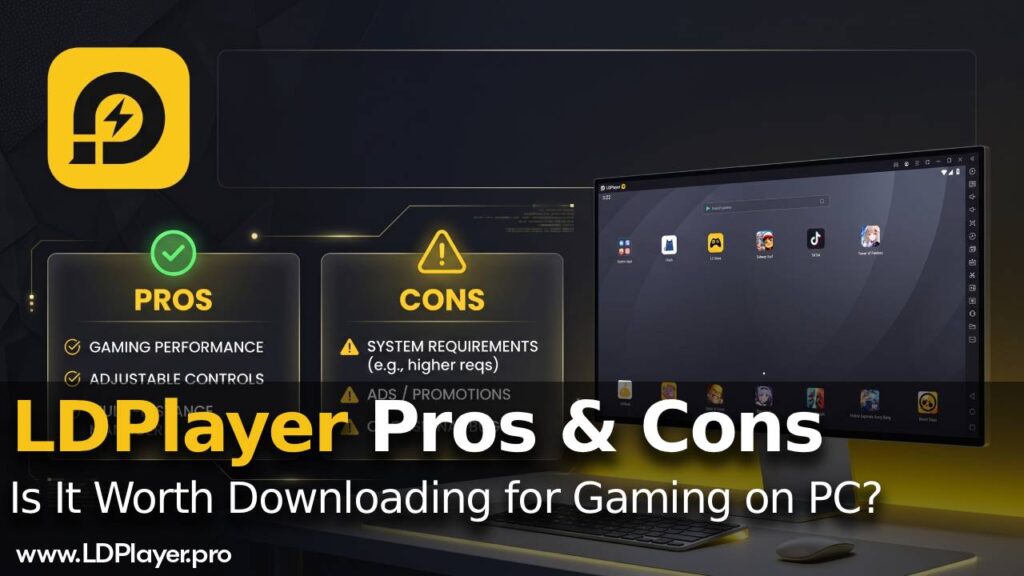
What Makes LDPlayer Different?
LDPlayer allows Android apps and mobile games to run on Windows computers. It uses virtualization technology to create an Android environment inside the PC.
As a result, users can open mobile apps without using a phone or tablet. A larger screen also gives users more room for gaming, testing, and content creation.
More importantly, LDPlayer has a strong focus on gaming performance. Its settings allow users to control how much CPU and RAM the emulator can use. Therefore, the software can work with different types of computer hardware.
The final experience still depends on the PC itself. However, users can adjust several settings to find a suitable balance between speed and resource use.
Gaming Performance and Resource Use
Gaming performance is one of the main reasons people choose an Android emulator. Mobile games can require stable frame rates and fast response times.
LDPlayer focuses heavily on these areas. It can provide high frame rates while keeping CPU use at a manageable level. Therefore, fast games can feel smoother when the computer has enough power.
Games such as Free Fire and PUBG Mobile often require quick reactions. A slow frame rate can make aiming, movement, and other actions harder. However, LDPlayer can give these games more hardware resources than some phones can provide.
Users can also control CPU and RAM allocation inside the emulator. For example, a stronger PC can give more resources to LDPlayer. Meanwhile, a mid-range computer can use lower settings to reduce hardware pressure.
This control makes it easier to match the emulator with the host computer. Still, higher settings do not always mean better results. The computer must have enough resources available.
Advanced Keyboard and Mouse Controls
Mobile games normally use touch controls. However, those controls do not always work well when playing on a computer.
LDPlayer includes a keyboard mapping tool for this reason. It allows users to connect screen actions with physical keyboard keys.
For example, movement controls can be assigned to keyboard buttons. Other actions, such as shooting or opening menus, can also receive their own keys.
As a result, mobile games can feel closer to normal PC games. Keyboard and mouse controls may also provide better accuracy in games that need fast movement.
In addition, LDPlayer supports gamepads. This feature can help with racing games, action RPGs, and other games that work well with controllers.
However, moving from touch controls to keyboard controls may take some time. Users may need to adjust the key layout before finding a comfortable setup.
Multi-Instance Features
Another useful LDPlayer feature is its multi-instance manager. This tool allows several virtual Android devices to run at the same time.
Gamers may use this feature for running different game accounts. It can also help with rerolling in games that use random starting characters or rewards.
At the same time, developers can use separate instances for app testing. Different virtual environments can help check how an application works under different setups.
Content creators may also benefit from this feature. For example, several app environments can run while recording or checking different mobile views.
However, each active instance needs extra computer resources. Therefore, running several instances may increase CPU and RAM use quickly.
A computer with limited memory may struggle under this load. So users should consider their available hardware before opening many instances.
The Main Advantages of LDPlayer
Fast Performance
Speed is one of the main strengths of LDPlayer. The emulator focuses on quick loading and low input delay.
Therefore, it can suit users who care about gaming performance. Stable frame rates can also make fast mobile games easier to control.
However, actual speed still depends on the computer. A stronger processor and enough RAM can improve the overall experience.
Many Custom Settings
LDPlayer gives users several ways to change the Android environment. Resolution, DPI, CPU use, and RAM allocation can all be adjusted.
Because of these options, users can match the emulator settings with their computer hardware. A powerful machine may use higher settings. Meanwhile, a weaker PC may need a lower resolution and reduced resource use.
These controls also give advanced users more control over performance. Still, beginners may need some time to understand each setting.
Useful Tools for Developers and Content Creators
LDPlayer is not only focused on gaming. It also contains tools that can help developers and content creators.
For example, users can install APK files directly. GPS spoofing is also available for situations where a different virtual location is needed.
In addition, the emulator includes screen recording tools. This can help when creating app guides, gameplay videos, or other digital content.
As a result, several common tasks can happen inside one program. Users may not need separate tools for every basic action.
Free Access
Another clear benefit is the price. The main LDPlayer emulator can be downloaded and used without an upfront payment.
Therefore, users can access its main virtualization and gaming features without buying software first.
This makes it easier to test the emulator before deciding whether it fits a regular workflow. However, free access alone should not decide whether someone installs it.
Performance, hardware needs, and safety should also be considered.
The Main Disadvantages of LDPlayer
Security and Privacy Concerns
Security is important when installing any third-party emulator. This becomes even more important because emulators may connect with personal accounts.
The official LDPlayer installer is generally treated as safe. However, some antivirus programs may still show warnings.
For example, K7 may identify the bootstrap file as an “Unwanted-Program.” Such warnings can sometimes be false positives rather than proof of harmful software.
Even so, users should remain careful. The installer should come only from the official LDPlayer website.
Technical communities have also discussed questions about cloud data collection and account security. Therefore, users should use good account security when signing into outside services.
Strong passwords can reduce account risk. Users should also avoid downloading modified installers from unknown websites.
Hardware Requirements
LDPlayer can use fewer resources than some heavier Android emulators. However, it still needs enough computer power to work smoothly.
Modern mobile games can place a heavy load on a computer. Graphics, processor speed, and available RAM can all affect performance.
Computers with less than 4GB of RAM may have trouble maintaining smooth frame rates. The problem can become worse when several emulator instances run together.
Therefore, low-spec computers may not get the best results from LDPlayer. In those cases, another lightweight emulator may provide better stability.
Meanwhile, users with stronger PCs have more room to increase emulator settings. They can also give more RAM and processor resources to Android apps.
LDPlayer Compared With Other Emulators
Several Android emulators target different types of users. Therefore, the best choice depends on what the user needs most.
| Feature | LDPlayer | BlueStacks | MuMu Player |
|---|---|---|---|
| Primary Focus | Speed and gaming | All-around stability | Low CPU use |
| Resource Usage | Moderate | High | Very low |
| Custom Controls | Highly customizable | Advanced and polished | Basic |
| Target Audience | Performance gamers | General users | Low-end PC owners |
LDPlayer mainly targets users who want gaming speed and detailed control options. BlueStacks focuses more on a general emulator experience and stability.
Meanwhile, MuMu Player focuses more on keeping CPU use low. Because of that, it may suit some computers with weaker hardware.
LDPlayer sits between these choices in resource use. It requires more resources than very light alternatives, but it can use less than heavier options.
Its control settings are also a major part of the package. Therefore, gamers who want detailed keyboard controls may find it useful.
Is LDPlayer Worth Downloading?
LDPlayer can be a good Android emulator for users who care about gaming speed and flexible controls. Its performance tools make it suitable for many mobile games.
In addition, the keyboard mapping system helps turn touch controls into PC-style controls. Gamepad support also gives users another way to play.
The multi-instance manager adds more value for gamers, developers, and content creators. APK installation, GPS spoofing, and screen recording also help with testing and content work.
However, the computer must have enough hardware power. Machines with very low RAM may struggle, especially when several instances are running.
Security also deserves attention. Users should get the installer from the official source and follow normal account safety practices.
Overall, LDPlayer offers a useful mix of speed, control options, and testing features. It can work especially well for gaming and mobile application testing.
Still, the best result depends on the computer and the user’s needs. Checking system resources before installation can prevent performance problems.
For users with suitable hardware, LDPlayer can provide a practical way to run Android software on a Windows PC.