Royal Match brings a simple and fun match-3 puzzle experience to mobile players. Dream Games developed the game for people who enjoy quick puzzles and steady progress. The game mixes tile matching with castle renovation tasks. As a result, players can solve puzzles while helping King Robert improve different parts of his home.

What is Royal Match?
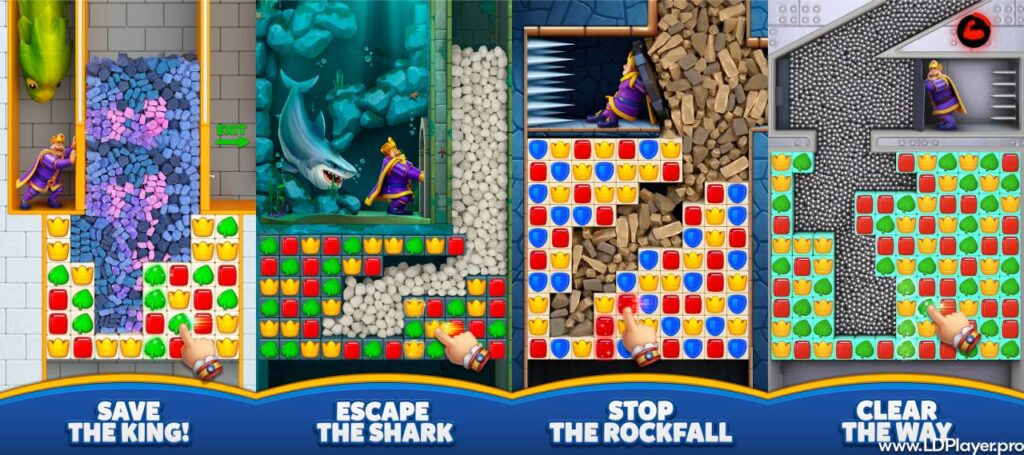
Royal Match is a free-to-play match-3 puzzle game made for mobile devices. Players move colored tiles to create groups of three or more matching items. Once matched, those tiles disappear from the board. New tiles then fall into the empty spaces.
Every level has its own goal. For example, a level may ask players to clear certain objects, collect specific items, or remove obstacles. Players must finish these goals before the available moves run out.
Completing levels gives useful rewards. Stars help unlock renovation tasks around King Robert’s castle. Coins can support gameplay in different ways. As players move forward, new rooms and areas become available.
The castle includes gardens, kitchens, royal rooms, halls, and other locations. Each completed task changes part of the castle. Therefore, puzzle progress also leads to visible changes in the game world.
Another important part of the game is its smooth design. Forced pop-up ads do not interrupt normal puzzle sessions. Because of this, players can focus on solving levels instead of waiting for advertisements to finish.
The game also includes regular events and team activities. These features add more goals beyond standard puzzle levels. At the same time, the simple match-3 system makes the game easy for new players to understand.
Royal Match Features
Several gameplay features help keep the experience simple, active, and rewarding. Some features focus on puzzles, while others support castle progress, team play, or special challenges.
Ad-Free Gameplay Experience
One major feature is the lack of forced advertisements during normal gameplay. Players can enter levels, solve puzzles, and return to the castle without mandatory video ads appearing between every action.
This design makes short and long sessions easier to enjoy. For example, someone can complete a few levels during a break without spending extra time closing pop-ups.
The game may still include optional purchases. However, these purchases are different from forced advertisements. Players can continue playing without buying extra items.
Castle Renovation and Decoration
Puzzle levels connect directly with castle renovation. After earning stars, players can use them to complete tasks in different castle areas.
A task may improve furniture, repair a room, or add a new item to an area. As more tasks are completed, the castle slowly changes.
This system gives players another reason to finish puzzle levels. Instead of only moving from one stage to another, players can also see King Robert’s home improve over time.
New areas become available as progress continues. Therefore, the renovation system adds a clear sense of growth to the game.
Power-Ups and Special Boosters
Matching more than three tiles can create special boosters. These boosters can remove larger groups of tiles and help complete difficult goals.
Common boosters include rockets, TNT, light balls, and propellers. Each one works in a different way. For example, a rocket can clear a row or column. TNT can remove tiles around a wider area.
Players can also combine certain boosters. These combinations may clear a large part of the board at once. As a result, smart booster use can save several moves.
However, using a booster at the right time is often more useful than using it immediately. Checking the board first can make difficult levels easier to manage.
Competitive Events and Leaderboards
Royal Match includes events that give players extra goals and rewards. Some events focus on personal progress, while others involve teams or competitive rankings.
Examples include Sky Race, King’s Cup, Lightning Rush, and Team Battle. Event rules can differ, but the main goal usually involves completing levels or earning points.
Players can also join teams. Team members may support each other by sharing lives and taking part in group events.
Rewards may include coins, boosters, or limited periods of unlimited lives. Therefore, events give regular players more reasons to return and continue progressing.
Offline Play Capability
Standard puzzle levels can be played without staying connected to Wi-Fi all the time. This can be useful during travel, commutes, or places with a weak internet connection.
However, some online features need an active connection. Team activities, rankings, account syncing, and certain events may depend on internet access.
Because of this, offline play works best for normal puzzle progress. Players who want every social and online feature should connect to the internet when possible.
How To Install Royal Match on LDPlayer
LDPlayer allows Windows users to run Android apps on a desktop or laptop. A larger screen and mouse controls may also make puzzle boards easier to view.
The following steps explain the standard installation process.
1. Download and Install LDPlayer
Start by opening the official LDPlayer website.
Download the current Windows installer from the official source. Once the file finishes downloading, open the installer.
Follow the setup instructions shown on the screen. Choose the required installation options and allow the program to finish installing.
After installation, open LDPlayer from the desktop shortcut or Windows Start menu.
2. Launch LDPlayer and Access Google Play Store
Wait for the emulator home screen to load.
Next, find the Google Play Store or open it through the available system apps section.
Sign in with a valid Google account. This account allows access to apps listed on Google Play.
Make sure the login details are entered only inside the official Google sign-in screen.
3. Search for Royal Match
Open the Google Play Store search box.
Type the game name into the search field and start the search.
Look for the official app published by Dream Games. Checking the publisher name helps avoid installing an unrelated or copied application.
Open the correct app page after finding it.
4. Install and Launch the Game
Select the Install button on the app page.
Google Play will download and install the required game files inside LDPlayer. The process may depend on internet speed and computer performance.
Once installation finishes, select Open.
The game icon should also appear on the LDPlayer home screen. Later, players can launch it directly from that icon.
How To Play Royal Match
The basic controls are simple, but later levels can require careful planning. Understanding the main steps can help new players avoid wasting moves.
1. Observe Level Objectives
Before making the first move, check the level goals.
The screen shows which objects must be collected, cleared, or opened. It also shows the number of moves available.
Reviewing these details first can help players decide which part of the board needs attention.
2. Match Colored Tiles
Move one tile by swapping it with a nearby tile.
Create a row or column containing at least three tiles of the same color. Matching tiles disappear, and new tiles move into the empty spaces.
Try to make matches that also help with the level goal. Random matches may use valuable moves without making enough progress.
3. Trigger Boosters
Matching four or more suitable tiles can create special boosters.
Activate boosters by tapping or swapping them, depending on their position and type.
Players can also place boosters near each other and combine them. Booster combinations often cover a larger part of the board.
Use these tools when they can reach important obstacles or level targets.
4. Manage Your Moves
Keep checking the remaining move count while playing.
Every normal swap uses a move. Therefore, unnecessary moves can make a level harder to finish.
Focus first on the main target. In addition, look for matches that can create boosters while also clearing required objects.
A good move can sometimes complete several goals at the same time.
5. Claim Rewards and Renovate
Winning a level gives progress rewards such as stars.
Return to the main castle area after collecting enough stars. Then, choose the available renovation tasks.
Completing these tasks opens more parts of the castle and moves the story forward.
Coins and other rewards can also help during later puzzle levels.
Safety and Legality
Royal Match is an official mobile game published by Dream Games. Players should download it only through trusted stores and official distribution channels.
Using the Apple App Store or Google Play Store reduces the risk of installing modified or harmful files. When using an Android emulator, the same rule should apply. Install the game through an official app store inside the emulator.
Account information should also remain private. Never share passwords, verification codes, or payment details with unknown websites or unofficial services.
Official store billing systems handle in-app purchases made through supported platforms. Therefore, players should avoid websites that promise unusually cheap coins, free paid items, or account upgrades.
Modified APK files and unofficial hack tools can create security problems. They may contain changed code, unwanted software, or tools designed to collect personal data.
Such files may also break game rules or affect account access. For this reason, official downloads provide the safer choice.
Keeping the game, operating system, and emulator updated can also improve security and compatibility.
Royal Match FAQ
Is Royal Match completely free to play?
Yes. The game can be downloaded and played for free. Optional in-app purchases are available for players who want extra coins, boosters, or other paid items.
Does Royal Match contain forced advertisements?
The game does not use mandatory video ads or common pop-up advertising during standard gameplay. Therefore, players can move between puzzle levels without frequent forced ad breaks.
Can game progress move from mobile to PC?
Progress may be available across supported devices when the same supported account or game connection is used. Players should check the account options inside the game before changing devices.
When using LDPlayer, sign in carefully and use the same supported account details where available.
Is an active internet connection required to play?
Standard puzzle levels may work without an active connection. However, online events, teams, rankings, syncing, purchases, and some other features can require internet access.
What happens when a level runs out of moves?
The level ends if the required goals are not completed before the move counter reaches zero. Players can then try the level again or use available game options where offered.
How are boosters created?
Special tile patterns create different boosters. Matching more tiles than a normal three-tile match can produce items such as rockets, TNT, propellers, or light balls.
Can players join teams?
Yes. Team features allow players to connect with others, share lives, and take part in certain group activities.
Is LDPlayer required on mobile devices?
No. LDPlayer is only an Android emulator for compatible Windows computers. Mobile users can install the game directly through the supported app store on their device.
Final Words
Royal Match combines simple match-3 puzzles with castle renovation, rewards, events, and team features. Its controls are easy to learn, while later stages can require more planning and careful use of boosters.
The lack of forced advertisements also helps keep puzzle sessions focused. Meanwhile, renovation tasks give players a clear reason to keep collecting stars and opening new castle areas.
Mobile users can install the game through supported official app stores. Windows users can also access the Android version through LDPlayer by following the steps above.
For safer gameplay, official downloads should always come first. Unofficial APK files, hacks, and unknown third-party tools can create account and security risks.
With regular puzzle progress, smart move planning, and careful booster use, players can continue helping King Robert restore his castle while working through new challenges.