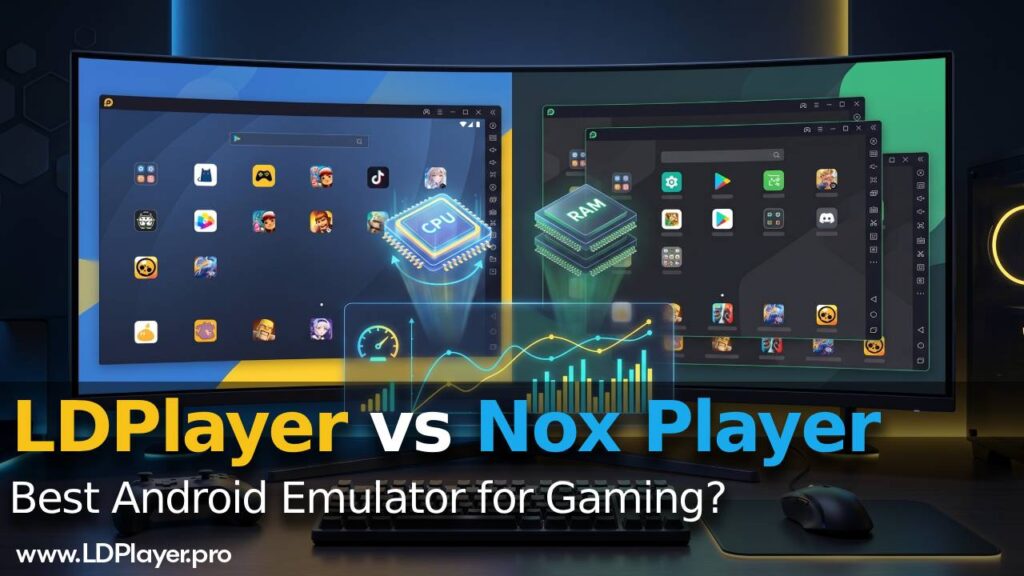
Choosing the right Android emulator can make a big difference when playing mobile games on a PC. Among the many Android emulators available today, LDPlayer and Nox Player remain two of the most popular choices. Both are well known for delivering smooth gameplay, accurate keyboard controls, and reliable multi-instance support for gamers.
However, the competition has changed with the release of LDPlayer 14, which is built on Android 14. Nox Player still uses its well-tested Android 9 framework. This difference affects game compatibility, performance, and system support. This comparison looks at their architecture, gaming performance, resource usage, and key features to help gamers choose the emulator that best fits their needs.
Architecture and Android Version Support
The Android version and core engine of an emulator affect how well it runs modern games and how stable it is during use.
| Feature | LDPlayer 14 | Nox Player (7.0.6.x) |
|---|---|---|
| Base Android Kernel | Android 14 (Architecture Optimized) | Android 9 (Pie) / Legacy Options |
| Hyper-V Compatibility | Native Integration (No Conflict) | Limited / Requires Hyper-V Disabling |
| Target Hardware Profile | Low-End to High-End PCs | Mid-Range to Legacy PCs |
LDPlayer 14 brings a major upgrade by using Android 14 as its base. This newer architecture allows it to run modern mobile games that need the latest Android APIs. As a result, it supports many newer game releases without compatibility issues. It also includes native Hyper-V support. This means Windows 10 and Windows 11 users can keep Windows security and virtualization features enabled without causing conflicts with the emulator.
Nox Player is based mainly on Android 9. This version has been stable for years and works very well with older games. However, some newer games now require Android 10 or later. Because of this, Nox Player may not support every new release. It also has limited Hyper-V support. Users often need to disable certain Windows virtualization features before installing or using the emulator. This setup process can be difficult for users who want a simple installation.
Gaming Performance and Frame Rate Stability
For competitive games such as Free Fire, PUBG Mobile, and fast-paced RPGs, stable frame rates are very important. Even small drops in performance can affect the overall gaming experience.
Frame Rate Performance
Testing shows that LDPlayer 14 can maintain stable frame rates between 60 FPS and 120 FPS in supported games. Its updated graphics rendering engine improves the way CPU and GPU resources work together. Because of this, frame drops are less common, even on mid-range computers.
Nox Player also delivers good gaming performance. It provides reliable gameplay in many titles, especially older games. However, newer games can sometimes expose the limits of its Android 9 framework. During heavy graphics scenes, small micro-stutters may appear as the emulator translates modern graphics instructions through its older architecture.
Game Optimization
Both emulators include game-specific optimizations to improve gameplay. Nox Player offers dependable keyboard mapping and macro support, making it suitable for many popular games. Still, some newly released games may not run as smoothly because they are designed for newer Android versions.
LDPlayer 14 benefits from its newer Android base and updated graphics engine. This helps it handle demanding games more smoothly while keeping performance stable during long gaming sessions.
Input Latency
Both LDPlayer and Nox Player support keyboard and mouse controls, along with game controllers such as Xbox and PlayStation controllers. Their keymapping systems are highly customizable and work well for different game types.
Even so, LDPlayer responds slightly faster during fast-action gameplay. Its updated driver abstraction layer reduces input delay, making controls feel a little more responsive during competitive matches.
Resource Consumption: CPU and RAM Efficiency
An emulator’s resource usage plays a major role in overall system performance. Efficient CPU and RAM management allows users to multitask more easily and improves gameplay on lower-end computers.
LDPlayer Resource Usage
LDPlayer 14 uses updated resource allocation methods to manage CPU and memory more efficiently. Even though it runs Android 14, it keeps RAM usage relatively low during normal gaming. On lower-spec computers, users can lower the display resolution and DPI through the settings menu. These changes greatly reduce CPU usage while maintaining stable performance and application reliability.
Nox Player Resource Usage
Nox Player has built a strong reputation for running well on older Windows systems. It continues to perform well with lightweight games and older Android applications. However, modern games and heavier apps can increase RAM usage significantly.
Nox Player includes an excellent multi-instance manager, but running more than three instances at the same time usually requires manual adjustments. Users often need to lower frame rate limits and reduce display resolution for each instance to prevent slowdowns on the host computer.
Power-User Features and Automation
Both emulators include tools designed for advanced users, especially gamers who manage multiple accounts or automate repetitive in-game tasks.
Multi-Instance Management
LDPlayer and Nox Player both provide powerful multi-instance managers. Users can create multiple emulator windows, clone existing environments, run several game accounts at once, and synchronize actions across different instances.
Nox Player offers a simple and organized interface for managing many emulator windows. LDPlayer, on the other hand, focuses on smoother resource distribution, helping multiple active instances perform more consistently under heavy workloads.
Macros and Script Recording
Nox Player includes an easy-to-use script recording tool that makes task automation simple. Players can record repeated actions and play them back whenever needed.
LDPlayer also provides a capable macro recorder. In addition, it supports advanced command-line tools that allow users to automate tasks through programmatic controls.
Remote Ecosystem
Recent updates to LDPlayer introduce integrations such as OSLink. This feature allows users to monitor automation tasks or manage remote farming from their smartphones while the PC continues running the emulator.
Nox Player keeps its tools focused on the local computer. Instead of remote management, it concentrates on internal security improvements and custom device profile settings.
Which Emulator Should You Choose?
The better emulator depends mainly on the computer being used and the games that will be played.
Choose LDPlayer if the goal is to play the newest Android games, achieve higher frame rates on Windows 11, or use an emulator that works smoothly with Hyper-V. It currently offers stronger gaming performance and better support for modern Android applications.
Choose Nox Player if the computer is older, the games being played work well on Android 9, or the preference is a mature emulator with simple local macro tools and reliable multi-account management.