PUBG MOBILE LITE brings fast battle royale action to Android phones with limited hardware. It gives players a smooth and exciting experience without needing an expensive device. The game uses smaller maps, shorter matches, and lower system needs. Therefore, more players can enjoy competitive survival battles on older or budget-friendly phones.
The game keeps the main ideas that made the original title popular. Players land on a map, collect useful gear, and fight to remain alive. At the same time, the safe area becomes smaller. As a result, players must move, plan, and face nearby enemies.
PUBG MOBILE LITE also offers simple controls, clear graphics, and several match modes. Matches load quickly and usually take less time than standard battle royale matches. Because of this, the game suits both short sessions and longer play periods.
What is PUBG MOBILE LITE?
PUBG MOBILE LITE is a separate and lighter version of PUBG Mobile. The game was built with Unreal Engine 4. However, it uses fewer phone resources than the standard version.
This lighter design helps the game run on Android devices with limited memory and storage. It can work on phones with around 1 GB of RAM. The starting download also needs about 600 MB of storage. Still, extra space may be needed for updates, maps, and other game files.
Each classic match places up to 60 players on a 2km x 2km island. First, players jump from a plane and choose a landing area. Next, they search buildings and open spaces for weapons, armor, medicine, and supplies.
Meanwhile, the safe zone slowly becomes smaller. Players outside this area lose health over time. Therefore, everyone must move toward the next safe area before it closes.
The main goal is easy to understand. Players must survive longer than every other person or team. Good shooting helps, but smart movement is just as important. Careful planning, safe cover, and strong teamwork can often decide the final result.
PUBG MOBILE LITE keeps the familiar Winner Winner Chicken Dinner reward. However, reaching that point requires patience and skill. Every match can change quickly because weapons, enemies, and safe zones appear in different places.
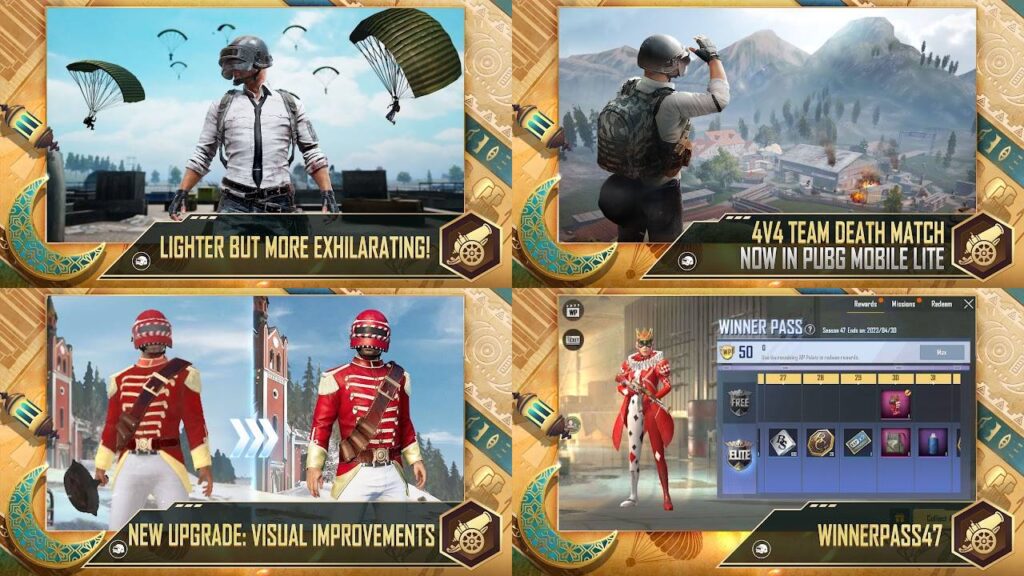
PUBG MOBILE LITE Features
The game has a smaller file size, but it still includes many useful features. Each feature supports quick matches and smooth action on less powerful Android phones.
Optimized Fast-Paced Gameplay
The smaller map creates faster and more direct battles. Players do not need to travel across a very large island. Instead, enemies often meet within the first few minutes.
A normal match may finish in around ten minutes. Therefore, players can complete a full game during a short break. The shorter format also reduces long periods without combat.
Fast matches do not remove the need for planning. Players must still choose safe landing spots and collect the right equipment. In addition, they must watch the safe zone and listen for nearby movement.
PUBG MOBILE LITE also uses a lower player count than the standard game. This choice helps matches start faster. It can also support smoother performance on phones with weaker parts.
High-Definition Audio and Graphics
The game uses clear graphics that support easy movement and aiming. Buildings, roads, trees, hills, and other objects remain easy to identify. As a result, players can understand their surroundings without placing too much pressure on the phone.
Several graphics settings are available for different devices. A player can lower the image quality to improve speed. On stronger phones, higher settings can provide sharper details.
Sound also plays an important role during each match. Footsteps can warn players that an enemy is close. Gunshots can show the direction of an ongoing fight. Vehicle sounds may also reveal a team moving across the map.
Headphones can make these sounds easier to notice. However, players should keep the volume at a safe level. Clear sound can support better choices without needing harmful volume levels.
Dynamic Arcade and Arena Modes
Classic battle royale is not the only available way to play. Faster modes offer close combat and regular action. These modes can help players practise aiming, movement, and weapon control.
Arena Warehouse places two teams in a small combat area. Players return after being defeated, so the action continues. Because of this, the mode is useful for learning without leaving a match early.
Close fights can also teach players how different weapons behave. An assault rifle may work well at medium range. In contrast, a shotgun can be more useful inside a small room.
Team modes help players learn how to support nearby teammates. For example, one player can attack while another protects the side area. Regular practice can improve timing, communication, and control.
Robust Tactical Clan Systems
Players can form teams with friends or meet other people inside the game. The clan system gives regular teammates a shared group. It also helps members play together and work toward common goals.
Voice chat allows team members to share important details during a match. They can report enemy locations, ask for supplies, or plan the next move. Clear and short messages often work better than long talks.
Room Cards can be used to create private matches when available. These rooms are useful for friendly events, practice sessions, and team activities. The host can invite chosen players and manage the match.
PUBG MOBILE LITE supports solo, duo, and team-based play in supported modes. Therefore, players can select a style that suits their needs. Team play usually requires more communication, while solo play depends more on personal decisions.
Fair Gaming Environment
Fair play gives every player a better experience. The game uses security systems to find changed files, outside tools, and unfair software. Accounts that break the rules may receive limits or permanent bans.
Players should never use aimbots, wallhacks, speed tools, or edited game files. These tools harm other players and break the game rules. They may also contain viruses or programs that steal personal data.
Account sharing can also create security problems. Login details should remain private. In addition, players should use a strong password for any connected account.
PUBG MOBILE LITE works best when every person follows the same rules. Skill should decide the result of a fight. Unfair tools remove that balance and damage the whole community.
How To Install PUBG MOBILE LITE on LDPlayer
LDPlayer is an Android emulator for Windows computers. It allows Android apps to run inside a virtual Android system. A keyboard and mouse can then control supported games.
Emulator support, access, and game availability can differ by region. Therefore, players should follow local rules and the game terms. The steps below explain the normal installation process.
1. Download and Install LDPlayer
Open the official LDPlayer website through a trusted web browser. Then, download the latest stable installer for the computer.
After the download finishes, open the setup file. Follow the instructions shown on the screen. Choose an installation folder with enough free storage.
The setup process may take several minutes. Once it finishes, allow the program to create a desktop shortcut. This shortcut makes the emulator easier to open later.
2. Launch the Emulator and Access the Store
Open LDPlayer from the desktop or Start menu. The first launch may take longer because the emulator prepares its Android system.
After the home screen appears, locate the LD Store or Google Play Store. A Google account may be required for Play Store access. Sign in only through the official login screen.
Check the internet connection before continuing. A stable connection can prevent failed downloads and damaged files.
3. Search for the Title
Select the search box at the top of the store. Type PUBG MOBILE LITE into the search field. Then, press Enter or choose the search button.
Review the search results carefully. Check the app name, logo, developer details, and listing information. Avoid copies that use strange names or misleading pictures.
Regional limits may prevent the official listing from appearing. Players should not use unknown download pages as a replacement.
4. Download and Install the Game
Open the correct store page and select the Install button. The emulator will begin downloading the required files.
Download speed will depend on the internet connection. Do not close the emulator while the installation is active. Also, make sure the computer has enough free storage.
Once the process ends, the game icon should appear on the emulator home screen. Open it and allow any required game updates to finish.
5. Configure Smart Keymapping Controls
Launch the game and wait for the main screen. Next, select the keyboard icon from the LDPlayer side menu.
Choose the prepared control layout when one is available. Common controls include WASD for movement and the mouse for aiming. The left mouse button is often set for shooting.
Review every key before starting a serious match. Change any controls that feel uncomfortable or confusing. Then, save the new key layout.
PUBG MOBILE LITE may perform better after adjusting emulator settings. Memory, processor, resolution, and frame settings should match the computer’s hardware. Avoid selecting very high settings on a weak computer.
How To Play PUBG MOBILE LITE
A strong start can improve the chance of reaching the final stage. First, look at the plane path and choose a suitable landing area. Busy locations often contain better supplies, but they also attract more enemies.
New players may prefer smaller groups of buildings near the edge of the flight path. These areas often provide enough basic equipment. They also give players more time to learn looting and movement.
After landing, collect a weapon as soon as possible. Armor, a helmet, ammunition, and healing items should follow. However, carrying too much of one item can waste bag space.
A balanced set of weapons can help during different fights. An assault rifle works well across several ranges. Meanwhile, a shotgun or submachine gun can help inside buildings.
Attachments can improve weapon control. Grips may reduce movement while firing. Sights can make targets easier to see. Extended magazines provide more shots before reloading.
PUBG MOBILE LITE rewards players who use cover. Trees, rocks, walls, and hills can block enemy fire. Running across an open field without cover creates a high risk.
The safe zone timer should always remain visible. Move early when the next area is far away. Waiting too long can force a player to run while enemies watch the route.
Vehicles allow faster travel, but they create noise. Nearby players can hear the engine and prepare an attack. Therefore, drivers should avoid stopping in open areas.
During team matches, members should remain close enough to help each other. Still, everyone should avoid standing in the same small spot. One grenade can hurt several players at once.
The final safe zones require calm choices. Avoid shooting without a clear reason because gunfire reveals a location. Watch the ground, listen for movement, and move only when needed.
Safety and Legality
Players should get the game only through approved and trusted sources. Official store listings reduce the risk of harmful files. They also provide safer updates when new versions become available.
Unknown APK websites can contain changed files, harmful programs, or false download buttons. Therefore, players should avoid unofficial packages. Free currency offers and cheat downloads should also be treated as dangerous.
Using modified files may lead to an account ban. It can also place personal details, passwords, and payment information at risk. No free reward is worth losing an account or damaging a device.
Regional access can change based on local laws and service rules. Players should check whether the game is officially offered in their location. They should also follow local age rules and payment requirements.
Children should play with guidance from a parent or guardian. Spending limits can help prevent unwanted purchases. Privacy settings should also be reviewed before using voice chat or adding unknown players.
PUBG MOBILE LITE includes online contact with other users. Personal details should never be shared with strangers. This includes real names, home addresses, school names, passwords, and phone numbers.
PUBG MOBILE LITE FAQ
Can players using PUBG MOBILE LITE match with players on the standard version of PUBG Mobile?
No. The two games use separate servers, maps, account systems, and game builds. Therefore, players from one version cannot join matches in the other version.
Game progress and owned items also do not normally move between the two titles. Each game should be treated as a separate product.
What are the minimum hardware specifications required to run the game?
The game was designed for Android devices with limited hardware. It may run on devices with about 1 GB of RAM and Android 4.3 or later.
The first download may need around 600 MB. However, players should keep more space free for updates and extra files. Performance can also change based on the phone model and background apps.
Is there an official iOS version available for Apple iPhone users?
No official iPhone or iPad version is offered for this lighter edition. Apple users can check the App Store for the standard PUBG Mobile release available in their region.
Players should avoid websites that claim to provide unofficial iOS installation files. These files may be unsafe or false.
How do you adjust the touch sensitivity settings to control weapon recoil?
Open the Settings menu from the main lobby. Then, choose the Sensitivity section.
Camera sensitivity controls how quickly the view moves. ADS sensitivity affects movement while aiming through a sight. Gyroscope settings use phone movement when the feature is active.
Change one setting at a time and test it in a practice mode. Small changes are easier to understand than large changes. Keep testing until aiming feels smooth and controlled.
Final Words
PUBG MOBILE LITE gives Android users a quick and easy way to enjoy battle royale matches. Its smaller maps and shorter games support fast action. At the same time, its lower hardware needs help more devices run the game.
Good results still depend on practice and smart choices. Players must learn where to land, what to carry, and when to move. Clear communication also gives teams a major advantage.
Official downloads provide the safest way to start. Unfair tools and changed files should always be avoided. They can lead to bans, security problems, and a poor experience for everyone.
With careful movement, steady aim, and good teamwork, every match offers a new challenge. Choose a landing point, gather useful gear, watch the safe zone, and fight for the final victory.